SUBTITLE CONVERTER / 05
VTT to TXT.
Extract the words from a WebVTT caption file.
All extraction happens in your browser. Your VTT file is never uploaded.
Optional analytics helps us count page visits. It never receives your subtitle file. Allow Google Analytics?
Add your VTT file
INPUTNo sign-up. No usage quota. No added watermark.
Choose a VTT file to begin.
Compare & download
OUTPUTSOURCE · VTT
—cuesOUTPUT · TXT
—entriesSource and output cue counts will appear here.
Download .txtTimestamps, cue IDs and layout settings are removed. Review the preview before using the text elsewhere.
Source preview
.vttYour original VTT will appear here.
Text preview
.txtYour extracted text will appear here.
Extraction notes
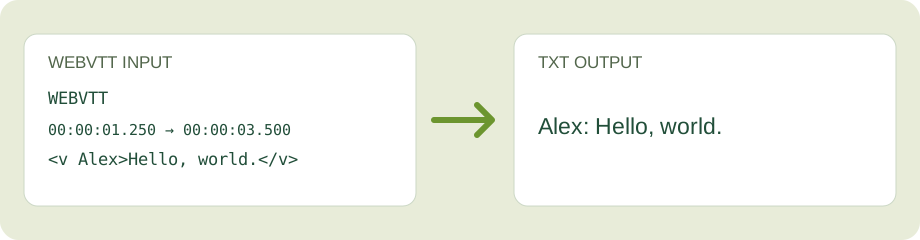
What appears in the TXT file?
Every timed WebVTT cue becomes one text entry. The default layout joins lines within a cue; the alternative keeps those line breaks and separates cues with a blank line. Comments, STYLE and REGION blocks, timestamps, cue IDs and layout settings do not appear in the output.
WebVTT voice tags such as <v Alex> become a readable speaker prefix such as Alex:. Other cue markup is removed. The tool does not translate, transcribe audio or reconstruct timing.
When cue counts differ
A red mismatch means a cue had unusable timing or no readable text. Open the extraction notes and compare both previews before downloading.
Need to keep the original timestamps? Use VTT to SRT instead. For other tasks, try SRT to VTT, Text to SRT, or SRT to TXT. A TXT file from this page has no timing information.