SUBTITLE CONVERTER / 02
SRT to VTT.
Convert your .srt file and check the cues before you save it.
All processing happens in your browser. Your file is never uploaded to a server.
Optional analytics helps us count page visits. It never receives your subtitle files. Allow Google Analytics?
Add your SRT file
INPUTNo sign-up. No usage quota. No added watermark.
Choose an SRT file to get started.
Compare & download
OUTPUTSOURCE · SRT
—cuesTimeline end —
OUTPUT · VTT
—cuesTimeline end —
Your before-and-after numbers will appear here.
Download .vttTimeline end is the latest readable cue end, not the video length.
Source preview
.srtYour original SRT will appear here.
Converted preview
.vttYour converted VTT will appear here.
Conversion notes
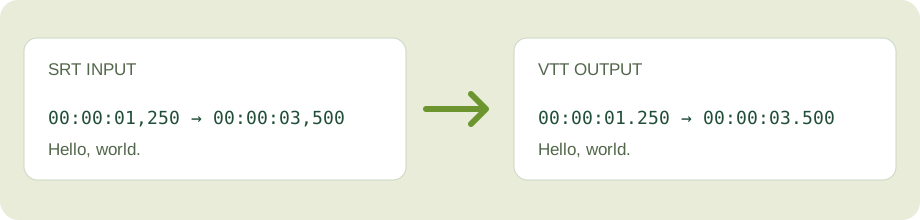
What this converter changes
It writes a WEBVTT header, changes SRT timestamp commas to WebVTT dots, and omits SRT cue numbers. It keeps readable cue text and its line breaks. It removes formatting tags and positioning data, so inspect the preview if your SRT contains styling.
How to spot a skipped cue
Compare the source and output cue counts above. A red mismatch means a timestamp or cue text could not be used. The conversion notes name the skipped cue number. A matching count still does not prove the wording or timing is right; read the two previews before downloading.
Example: one cue
Input: 00:00:01,250 --> 00:00:03,500. Output: 00:00:01.250 --> 00:00:03.500. The cue stays at the same time; only the timestamp separator changes.
Have a WebVTT file instead? Use the VTT to SRT converter. Starting with plain text? Use Text to SRT to create draft timing. To remove timing, use SRT to TXT or VTT to TXT.