SUBTITLE CONVERTER / 03
Text to SRT.
One text line becomes one timed subtitle cue.
Text and files stay in your browser. Nothing you paste or open is uploaded.
Optional analytics helps us count page visits. It never receives your subtitle text or files. Allow Google Analytics?
Add subtitle text
INPUTBlank lines are skipped. This tool does not listen to audio or find speech timing.
No sign-up. No usage quota. No added watermark.
Add one subtitle per line to begin.
Review & download
OUTPUTYour SRT preview will appear here.Download .srt
The generated timing is evenly spaced. Play the SRT alongside your video and edit it if speech does not line up.
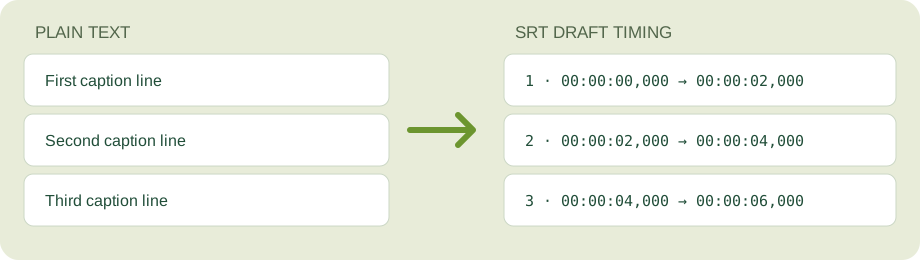
How text becomes SRT
Each non-empty line becomes one numbered subtitle cue. The first cue starts at your chosen time. Every cue lasts the number of seconds you choose, followed by your chosen gap. There is no audio analysis or automatic synchronization.
For example, two lines starting at 00:00:00 with a 2-second duration and no gap become cues at 00:00:00,000–00:00:02,000 and 00:00:02,000–00:00:04,000. These times are a draft, so check them against your video.
Already have timed WebVTT captions? Use the VTT to SRT converter instead to preserve their timestamps. To extract words from an existing SRT, use SRT to TXT. You can also convert SRT to VTT or extract words with VTT to TXT.