SUBTITLE CONVERTER / 04
SRT to TXT.
Extract the words from timed subtitles.
All extraction happens in your browser. Your SRT file is never uploaded.
Optional analytics helps us count page visits. It never receives your subtitle file. Allow Google Analytics?
Add your SRT file
INPUTNo sign-up. No usage quota. No added watermark.
Choose an SRT file to begin.
Compare & download
OUTPUTSOURCE · SRT
—cuesOUTPUT · TXT
—entriesSource and output cue counts will appear here.
Download .txtTimes and cue numbers are removed. Review the preview before using the text elsewhere.
Source preview
.srtYour original SRT will appear here.
Text preview
.txtYour extracted text will appear here.
Extraction notes
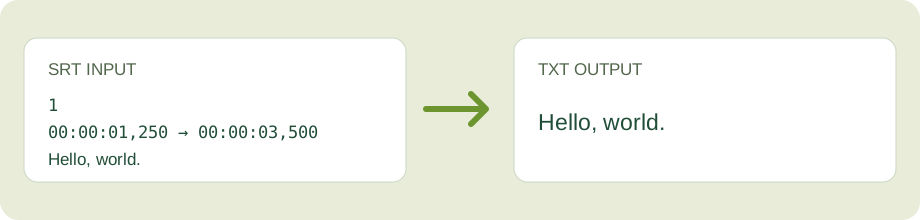
What appears in the TXT file?
In the default layout, every SRT cue becomes one text line. If a cue has two subtitle lines, they are joined with a space. The alternative layout keeps those line breaks and places a blank line between cues.
Basic italic, bold, underline, font and positioning markers are removed. Spoken words, punctuation and speaker names are kept. The tool does not translate or transcribe audio.
When cue counts differ
A red mismatch means at least one source block had unusable timing or no readable text. Open the extraction notes and compare the source and output previews before downloading.
Need a timed subtitle file again? Use Text to SRT to create draft timing; it cannot recover the original timestamps. To preserve existing timing, use VTT to SRT or SRT to VTT. For WebVTT text, use VTT to TXT.