M4A AUDIO → MP4 VIDEO
M4A to MP4 with a cover.
Choose an M4A recording and make an MP4 video with its sound and a still image. Tested AAC audio is copied into the video without re-encoding.
One M4A at a time. The tested source codec is AAC. Other M4A codecs have not been verified.
PNG or JPEG. Without one, the video uses a plain CueConvert cover. The image fits a 1280 × 720 frame without cropping.
Choose an M4A to begin.
Your M4A and cover image stay on your device. Only the video-processing runtime downloads; no file bytes are uploaded.
MP4 ready
Download MP4Listen to the start and end of the download before sharing it.
A recording you can check yourself
The downloadable 15-second English narration M4A is an original CueConvert test file encoded as AAC. Try it with the built-in cover. The downloaded MP4 contains a still H.264 picture and the same AAC audio data in our tested case.
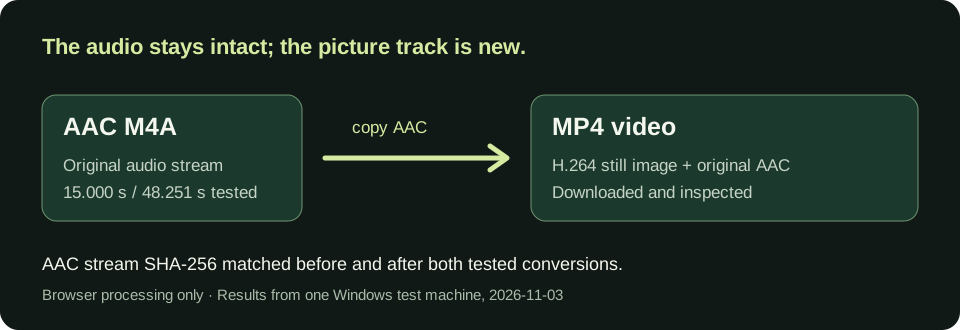
Measured on this Windows test machine · 2026-11-03
| AAC M4A input | Browser processing, runtime loaded | Downloaded MP4 | Checked output |
|---|---|---|---|
| 15.000 s · 192,944 bytes · built-in cover | 7.2 s | 226,505 bytes · 15.000 s | 1280 × 720 H.264 still video; AAC audio 15.000 s; copied audio hash matched |
| 48.251 s · 586,670 bytes · built-in cover | 16.5 s | 657,483 bytes · 48.300 s | 1280 × 720 H.264 still video; AAC audio 48.251 s; copied audio hash matched |
| 15.000 s · 192,944 bytes · chosen PNG cover | 5.6 s | 212,339 bytes · 15.000 s | Cover frame inspected; AAC audio hash matched |
First use downloads the video runtime and takes additional time. These are single browser runs after that load, followed by downloaded-file checks with ffprobe and audio-stream SHA-256. The 48-second MP4 container ends on a 10 fps picture-frame boundary, 0.049 seconds after its audio; no audio was cut in this test. Other codecs, long files, and devices have not been verified.
Prefer to see the test explained? Watch the 38-second CueConvert explanation on YouTube.
What this page changes
An M4A is an audio file. An MP4 for video sharing needs a picture track too. This page draws a still cover and puts that video track beside the AAC audio track. For the tested AAC input, audio data is copied rather than encoded again. A filename change alone would not create video.
Have an MP3 instead? Make an MP4 from an MP3. For uncompressed PCM audio, make an MP4 from a WAV recording; that path encodes the audio as AAC. Need a video without sound? Remove the audio track from an MP4.
Questions before sharing
Does an M4A need to be converted to MP3 first?
No for the tested AAC M4A. This page takes that file directly and copies its AAC audio into the MP4.
Will the MP4 show a moving picture?
No. It uses one still cover image throughout the audio. Add your own PNG or JPEG if you want a different picture.
What about a large or unusual M4A?
Browser memory and processing time depend on your device. Only the AAC sample on this page is verified; there is no fixed duration or size guarantee.