WAV AUDIO → MP4 VIDEO
WAV to MP4 with a cover.
Choose a WAV recording to make an MP4 with sound and one still image. The tested PCM WAV is encoded to AAC audio; a WAV cannot simply be renamed as a video.
One WAV at a time. The verified source is 16-bit PCM; other WAV codecs have not been tested.
Use a PNG or JPEG, or keep the built-in cover. The picture fits a 1280 × 720 frame without cropping.
Choose a WAV to begin.
Your WAV and cover stay on your device. Only the video-processing runtime downloads; no media bytes are uploaded.
MP4 ready
Download MP4Play the beginning and end of the saved file before sharing it.
Try the same source we used
Download the 15-second English narration WAV, an original 16-bit PCM CueConvert test recording. Upload it above with the built-in cover, then inspect the downloaded MP4 yourself. A browser test of this file is evidence for this case, not a size or codec guarantee.
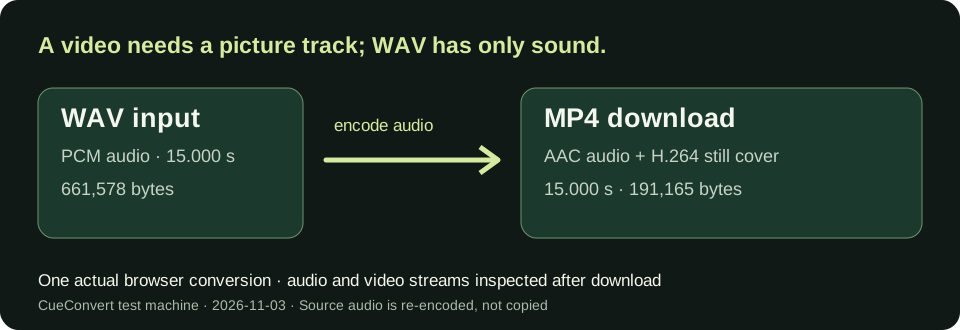
Measured on this Windows test machine · 2026-11-03
| 16-bit PCM WAV input | Browser processing, runtime loaded | Downloaded MP4 | Checked streams |
|---|---|---|---|
| 15.000 s · 661,578 bytes · built-in cover | 7.5 s | 191,165 bytes · 15.000 s | 1280 × 720 H.264 still video; AAC audio ending at 15.000 s |
| 37.803 s · 1,667,176 bytes · built-in cover | 15.5 s | 449,388 bytes · 37.803 s | 1280 × 720 H.264 still video; AAC audio ending at 37.803 s |
| 15.000 s · 661,578 bytes · chosen PNG cover | 6.6 s | 176,825 bytes · 15.000 s | Chosen cover frame inspected; H.264 and AAC streams present |
These figures are from three browser runs after the video runtime had loaded; the first runtime download takes additional time. ffprobe checked the downloaded files, not just the browser status message. Both sources were mono, 22,050 Hz PCM WAV; the output audio was mono AAC at 22,050 Hz. The smaller MP4 sizes here reflect AAC compression and the chosen still image, not a promise of lossless sound or a fixed output size.
What happens to the WAV sound?
This page makes a new H.264 still-picture track and encodes the WAV's PCM audio as AAC inside MP4. The WAV input has no picture, so the tool must create one. The audio is re-encoded; its samples are not copied bit for bit. If your input is already an AAC M4A, make an MP4 from that M4A to use the tested audio-copy path. For MP3 input, use the separate MP3 to MP4 tool.
Watch the 49-second WAV to MP4 test walkthrough for the same measured sample and the PCM-to-AAC limitation.
Questions before you share
Will the audio remain lossless?
No. The tested PCM WAV is encoded as AAC for the MP4. Keep your original WAV if you need the uncompressed source.
Will the MP4 have moving images?
No. It has a still H.264 cover for the entire recording. Choose your own PNG or JPEG to change the picture.
Does this upload to YouTube or make subtitles?
No. It downloads a local MP4 for you to review and share yourself. To make captions from speech first, use auto captions.
Can it handle every WAV?
Only the PCM test samples shown here have been verified. Other WAV codecs, very large files and device memory limits have not been measured.