MP4 VIDEO → SILENT MP4
Remove audio from video.
Choose an MP4 and download a copy with its audio track removed. The video stream is copied without re-encoding.
Your file stays in this browser. The output contains the first video stream only: audio, subtitle tracks, and other tracks are omitted.
Choose an MP4 to begin.
The video never leaves your device. The processing runtime downloads to your browser; no video bytes are uploaded.
Silent MP4 ready
Download silent MP4Play the downloaded file to check its picture and silence.
Check the actual result
Removing audio is a stream operation: this tool keeps the first video track and omits every other track. It does not replace speech with silence inside an audio track. Some players show a speaker icon even when a file has no audio stream; inspect the track list if you need to prove the track is gone.
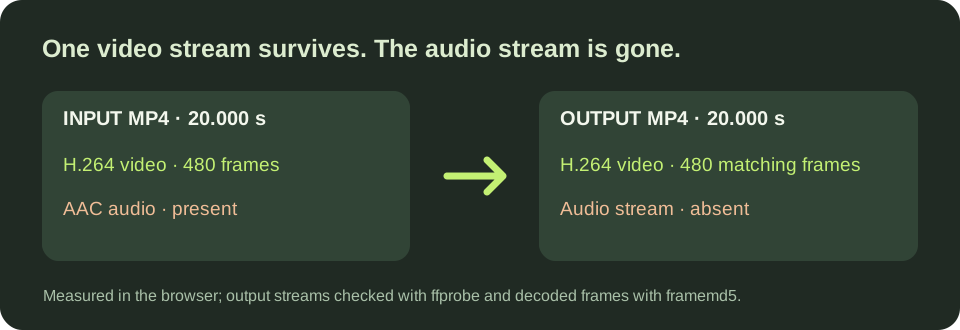
Measured on this Windows test machine · 2026-11-02
| Input MP4 | Browser processing after runtime loaded | Downloaded silent MP4 | Stream and frame check |
|---|---|---|---|
| 20.000 s · 640×360 · 24 fps · 1,858,895 bytes | 0.3 s | 1,636,011 bytes · 20.000 s | H.264 video only; AAC gone; all 480 decoded frames matched |
| 75.000 s · 640×360 · 24 fps · 6,929,967 bytes | 0.3 s | 6,121,919 bytes · 75.000 s | H.264 video only; AAC gone; all 1,800 decoded frames matched |
Download the 20-second input sample to repeat the first test in this browser. The times above are two individual browser runs after the runtime loaded, not a speed promise. First use downloads the FFmpeg runtime and takes additional time. Stream types and durations came from ffprobe; decoded frame rows were compared with FFmpeg framemd5. These tests do not establish a maximum file size.
Browser memory limits and processing time vary by device and file. No fixed maximum duration or file size is claimed. The video codec must be compatible with MP4; an unsupported source fails with a visible error instead of silently re-encoding.
Questions from the file check
Can an MP4 have no audio track at all?
Yes. Both tested downloads contained one H.264 video stream and no audio stream according to ffprobe. This removes audio data rather than adding a silent audio track.
Will the video file become much smaller?
It depends on the source. Our 20-second sample changed from 1,858,895 bytes to 1,636,011 bytes. Its 480 decoded picture frames matched the input, so this test did not trade picture quality for a smaller file.
Before you share a silent video
Download and play the whole result. Embedded subtitles and alternate video tracks are not carried over. If you need captions on the result, add an SRT or VTT subtitle file to the silent video. If your source is an MP3 and you need a video with sound, make an MP4 with a cover image.